Unity AI
Give creators control beyond the prompt.
At Unity, I worked as a Staff Product Designer across AI and XR platform experiences. The product challenge was to make generated work understandable, editable, and useful inside a real project.
Muse offered assistance across questions, visuals, motion, and logic. The opportunity went beyond producing an initial result: a creator needed to evaluate it, refine it, and decide whether it belonged in their game.
Sentis served a separate need: running trained models inside a game. Keeping creation-time assistance distinct from runtime inference makes the value and limits of each easier to understand.
- Focus
- Generative AI, creator tools, runtime AI
- Platform
- Unity Muse & Sentis · 2023–24 retrospective
- Role
- Staff Product Designer · AI · XR Platform
- Responsibilities
- Product design across AI and XR platform experiences
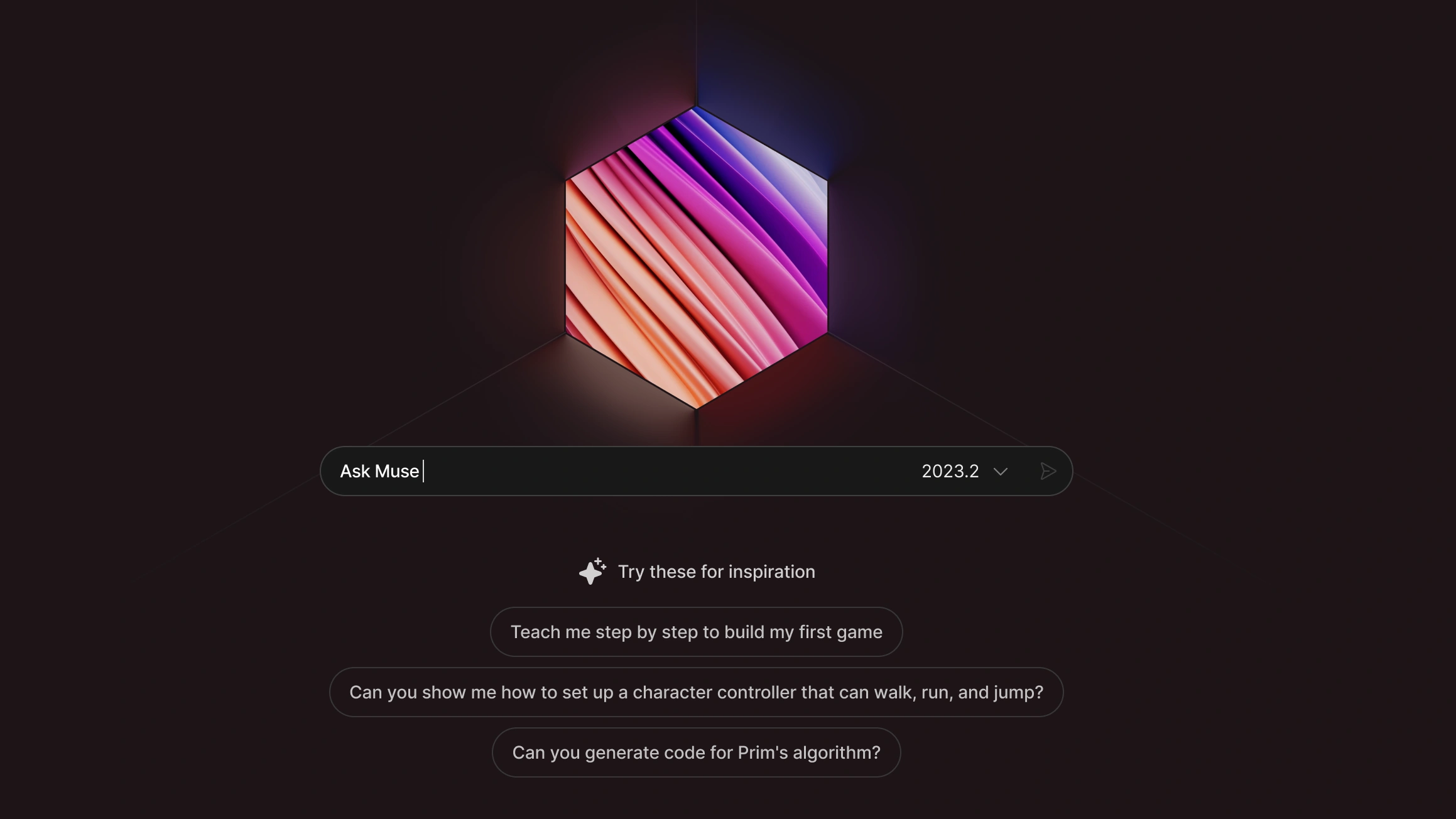
Keep the creator in control.
Project context, editable results, and clear limits.
01Bring assistance into the project

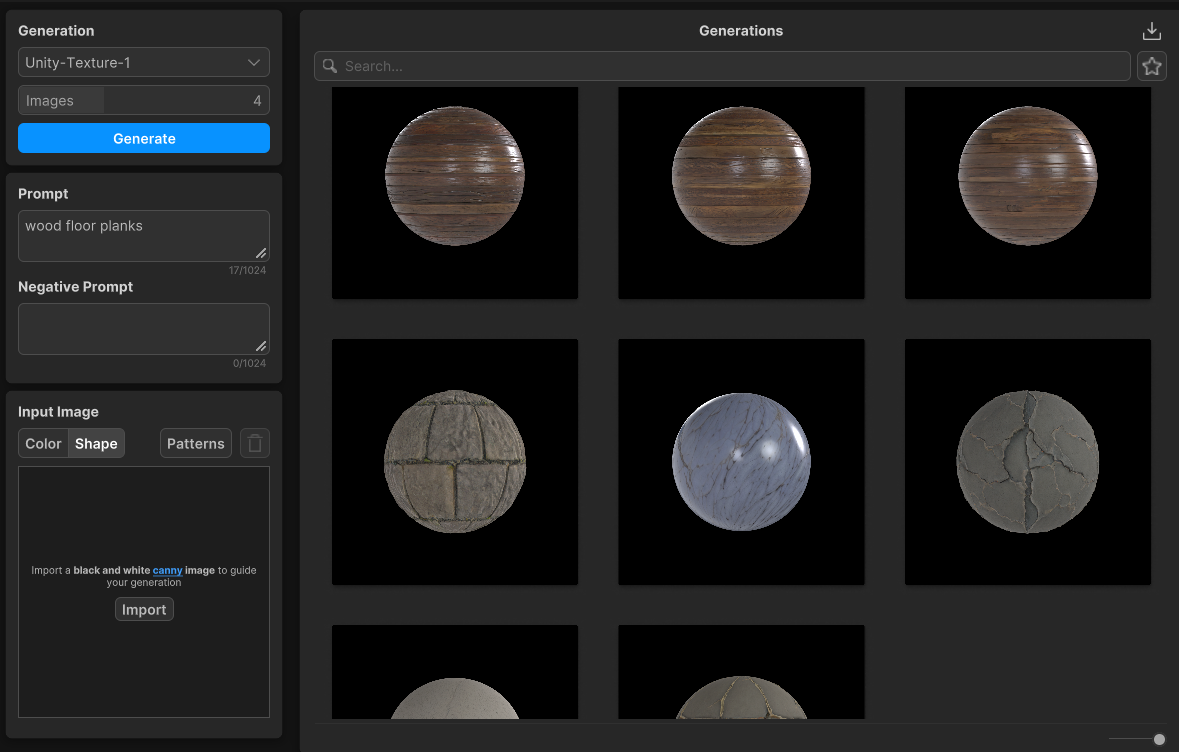
A generic answer still leaves the developer to work out how it fits their project. In April 2024, Muse Chat added Editor context and console-error troubleshooting. Texture generation connected prompts to materials usable in a scene. The design implication is to organize assistance around the creator’s next action: understand a problem, evaluate a suggestion, then continue building.
Context-aware help
Materials in the workflow
02Make generated work editable
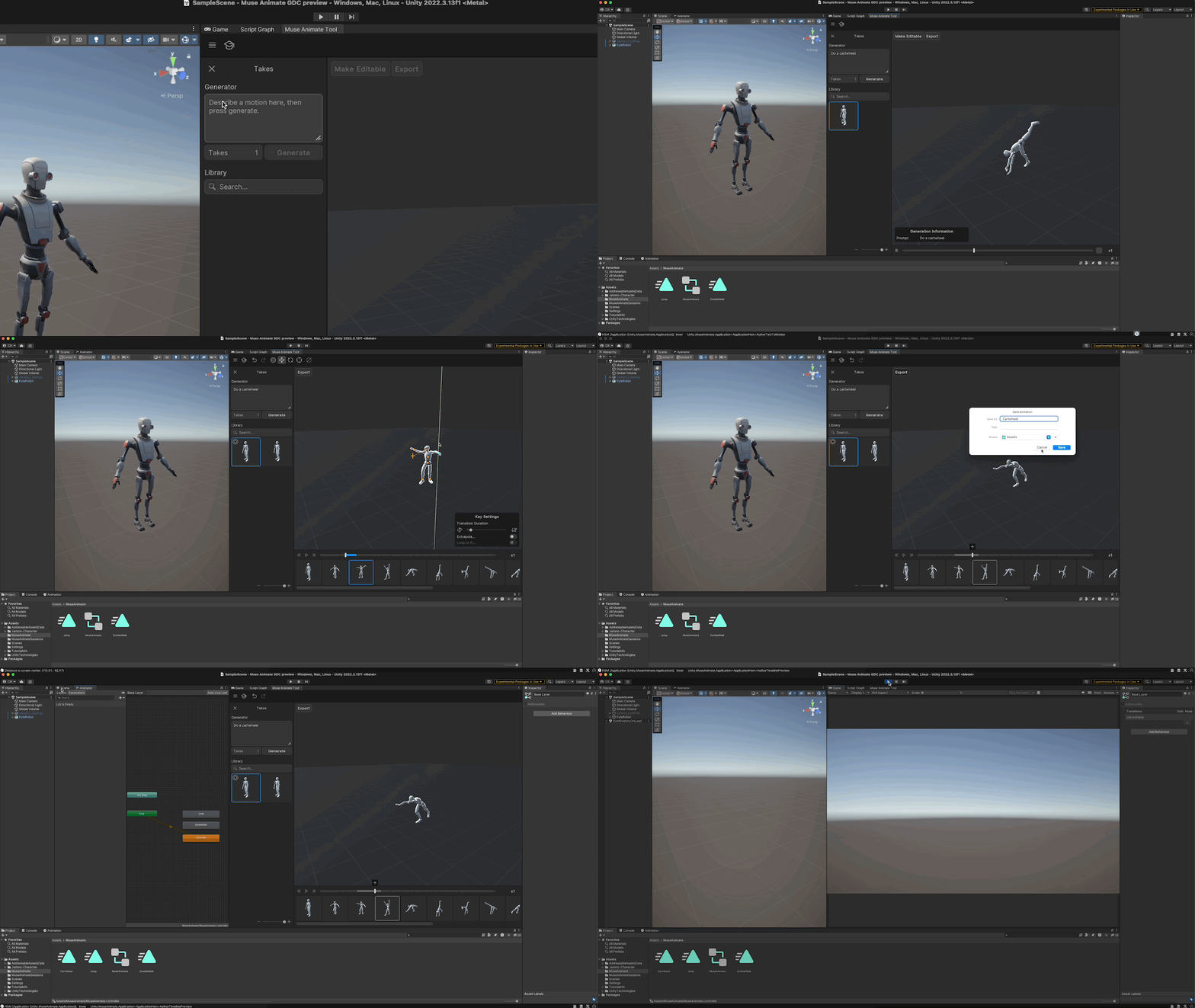
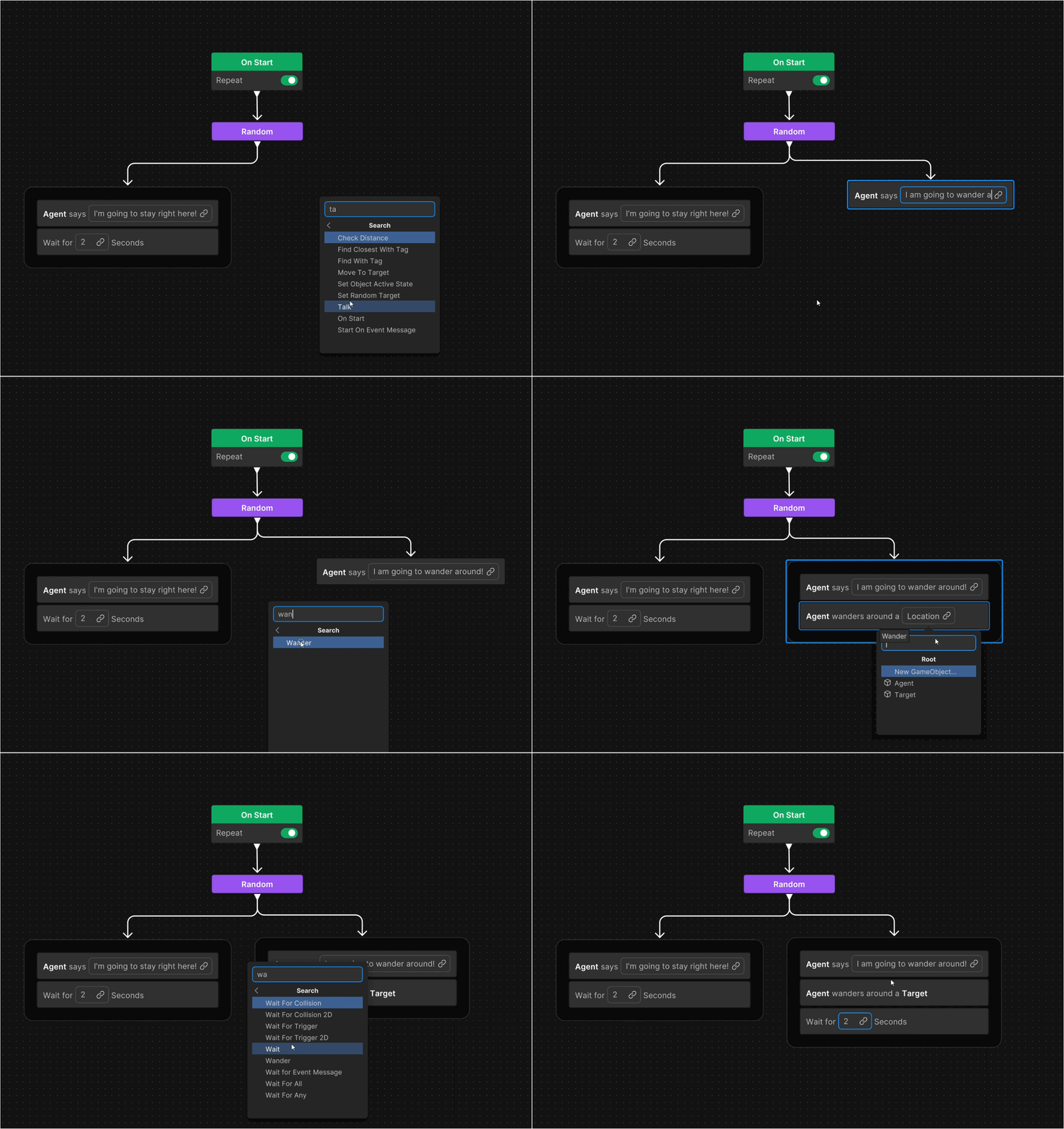
Prompting is a starting point. Muse Animate let creators adjust poses and retarget clips; Behavior exposed actions through readable nodes and reusable variables. Both were prerelease packages in April 2024. Their common design lesson is a gradual handoff from language to explicit control, so people can inspect and refine what the system produced.
Motion you can refine
Logic you can read
03Help creators judge the result
Professional adoption depends on confidence as well as output quality. In November 2023, Unity described owned or licensed training data, augmentation, and filtering for its initial Sprite and Texture models. It also acknowledged weak outputs for some subjects and moderation false positives.
Those disclosures set expectations. The workflow still has to help a creator decide whether to refine an output, try another input, or return to manual authoring. The editing mechanisms in Animate and Behavior illustrate the complementary need for control: an editable result is useful when its limits are clear enough to make that choice.

04Distinguish creation from runtime
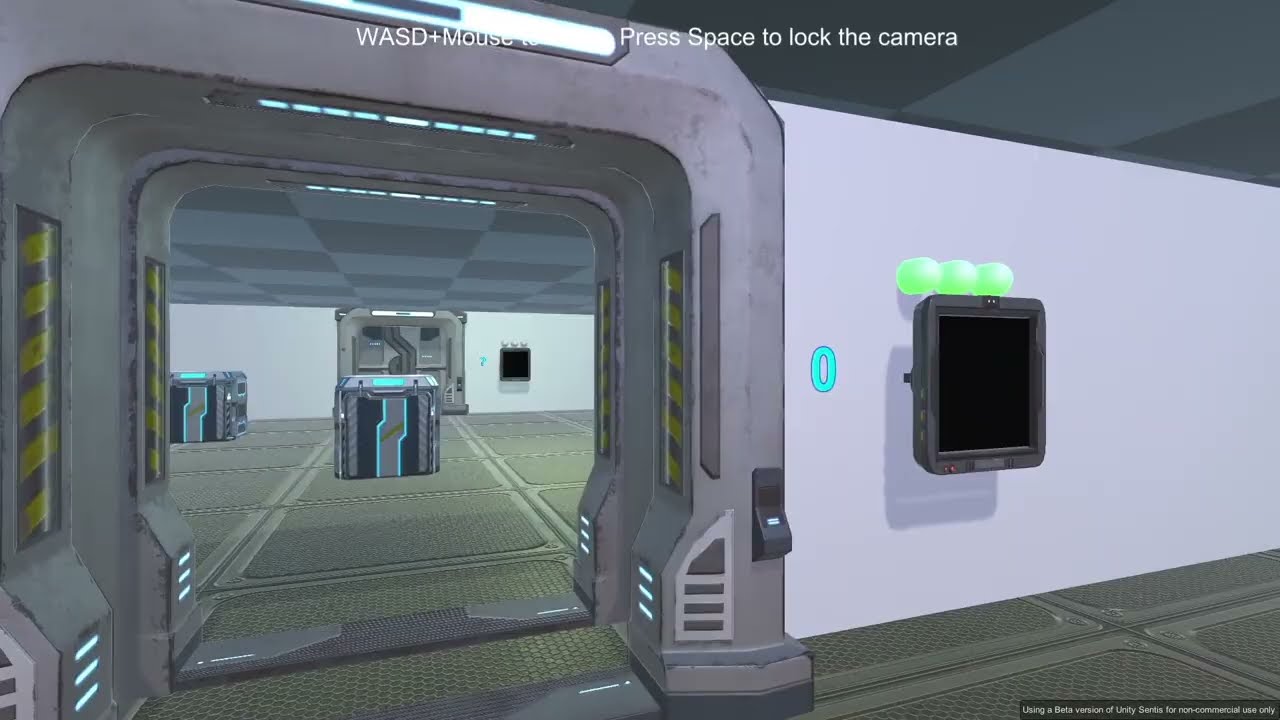
Muse and Sentis addressed different moments in a game’s life. Muse assisted the creator. Sentis imported trained models and ran inference on player devices through Unity. A handwritten-digit recognition sample made that distinction tangible: the model’s prediction could unlock a door in the game.
Muse helped creators shape the game. Sentis let trained models operate within it. Keeping those roles clear makes the platform easier to reason about, including the model compatibility, responsiveness, and device performance developers need to evaluate.
A workflow beyond the prompt.
From early access toward AI capabilities embedded in the Editor.
Muse entered early access in November 2023 with Chat, Sprite, and Texture. By April 2024, all five capabilities were available in the Editor, with Animate and Behavior still in prerelease. The progression brought assistance closer to the project and made more of the creative workflow accessible in one place.
AI-assisted work becomes usable when creators can inspect it, change it, and decide whether it belongs in their project.